
From sign-up to first task in 5 days
You choose your monthly hours and the services you want. We do the work, log every hour, and you approve each task in your client portal.
- Step 1Choose your hoursPick a plan or build your own
- Step 2Add your servicesAny of our 68
- Step 3Approve the workNothing is done until you say so
- Step 4Track the resultsHours, tasks and reports in one place

What happens after you sign up
- 1
Choose a plan
Pick Starter, Growth or Scale, or set your own hours.
- 2
Create your account
It takes about 2 minutes in the client portal.
- 3
Add your services
Ongoing services use your plan hours. One-off projects are paid before they start.
- 4
Confirm each brief
We agree what each service covers before any work starts.
- 5
Get your first task
It's due within 5 days of the service starting, and the next ones follow every 5 days.
How every task runs
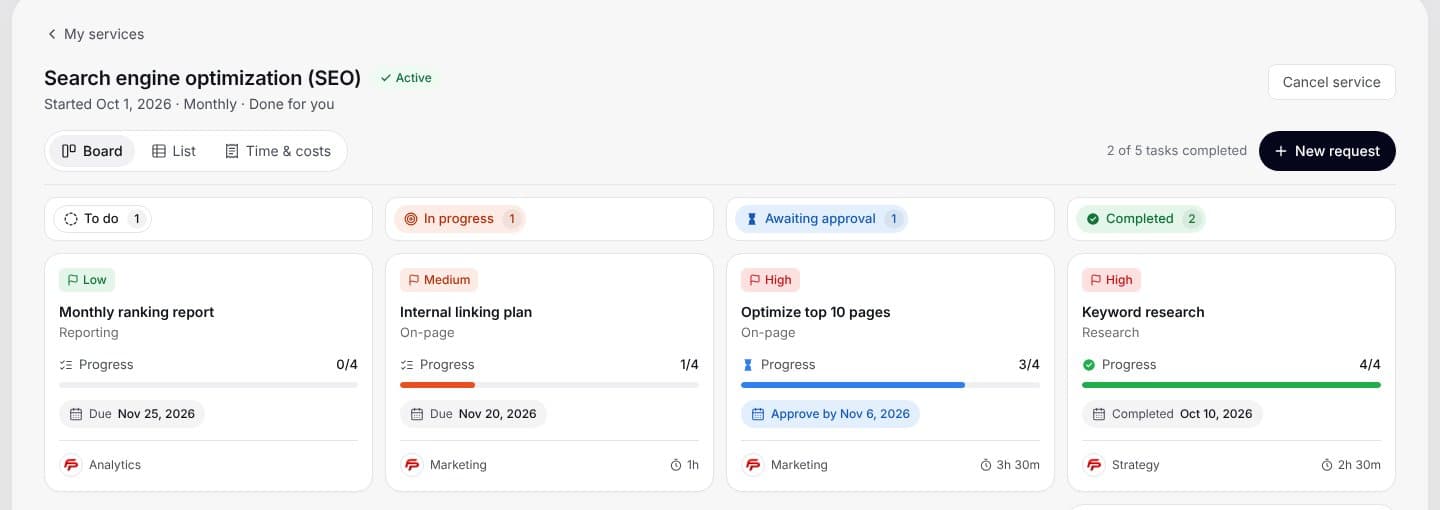
Each service has its own board, and every task moves through the same four steps.
- 1
Brief confirmed
We agree what the task covers before work starts.
- 2
Work completed
A specialist does the work and logs the time against the task.
- 3
Quality check
The team reviews the work before it reaches you.
- 4
Your approval
Approve it or request changes. Anything you don't review within 5 working days is approved automatically.
See every task, hour and invoice
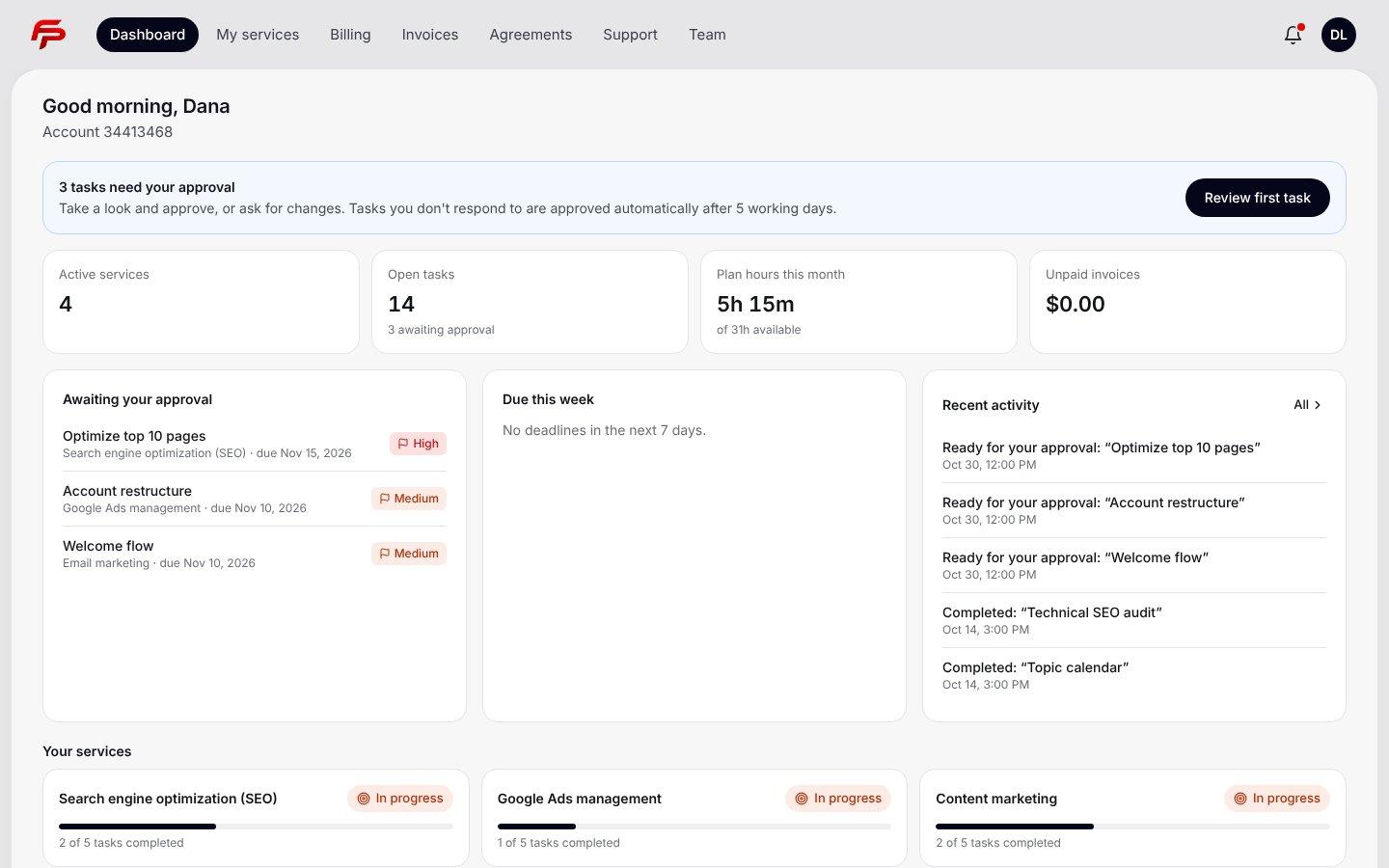
- Every service and task, with the step it's on
- Work waiting for your approval
- Hours logged per task, and your balance including rolled-over hours
- Invoices and payments, collected upfront through Stripe
- Support tickets, answered within 72 working hours
Your hours, explained
Unused hours roll over
They carry into next month and are used first.
Extra hours at your plan rate
Never at our $95 standard rate.
Shared across services
One balance covers every service on your plan.
90 days or your money back
Every plan starts with a 90-day guarantee. If you're not happy with the progress in that time, you get your money back.
Read the guarantee termsQuestions about working with us
Who does the work?
Specialists on our team. Each task in your portal shows the hours it took.
How do I ask for changes?
Ask for changes on any task waiting for your approval. It goes back to the team with your notes.
What if I don't have time to review?
Tasks you don't review within 5 working days are approved automatically, so work keeps moving.
How do I reach the team?
Open a support ticket in your client portal. We reply within 72 working hours.
Can I add or remove services later?
Yes. Add services from your portal at any time. Your plan hours are shared across all of them.
Can I cancel?
Yes. Plans renew monthly and you can change or cancel from the Billing page in your client portal.